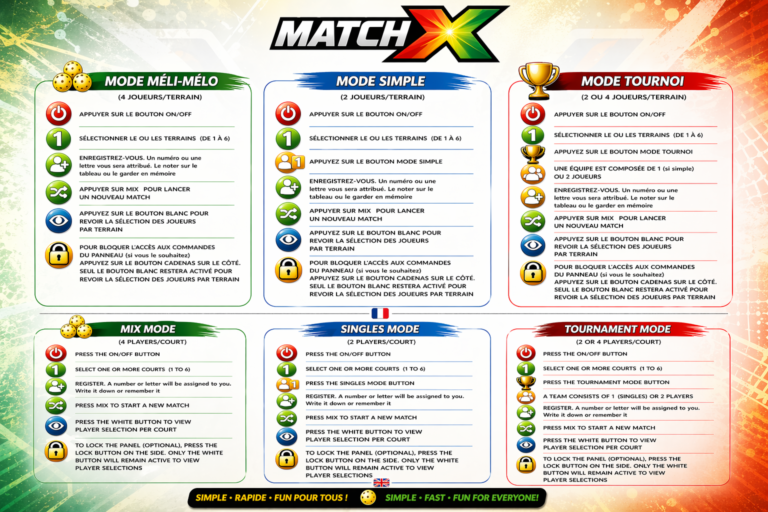
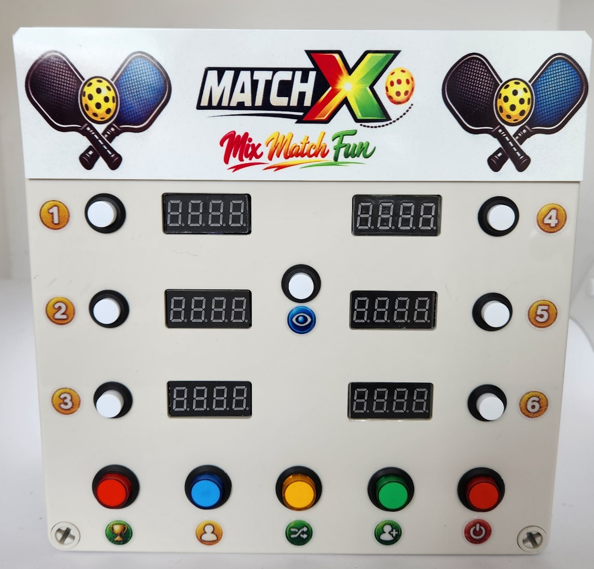
1 – On the side of the box, press the ON/OFF button.
2 – If it’s for a tournament, press the red TOURNAMENT button.
3 – Select the chosen courts from 1 to 6 (white buttons).
4 – Register players ENR (green buttons) from 1 to 9 and A to Y, for a maximum of 24 players.
5 – Press MIX (yellow button) and the registered players will be automatically shuffled across the chosen courts. For example: C – 1: 7-4 against 1-3 – C – 2: 8-5 against 6-2.
6 – You can lock the controls on the side with the BLOCK button.
This will prevent someone from accidentally pressing a button and disrupting the settings.
7 – When the matches are finished and everyone gathers for the next match, simply press the MIX button again.
THE SCOREBOARDX WILL SOON BE ON OUR SITE AND FOR SALE…. PATIENCE….